Features
Everything you need to
document your company
Mapaflow brings together everything you need to create, organize and share your company's processes in a single tool.
Flowchart Editor
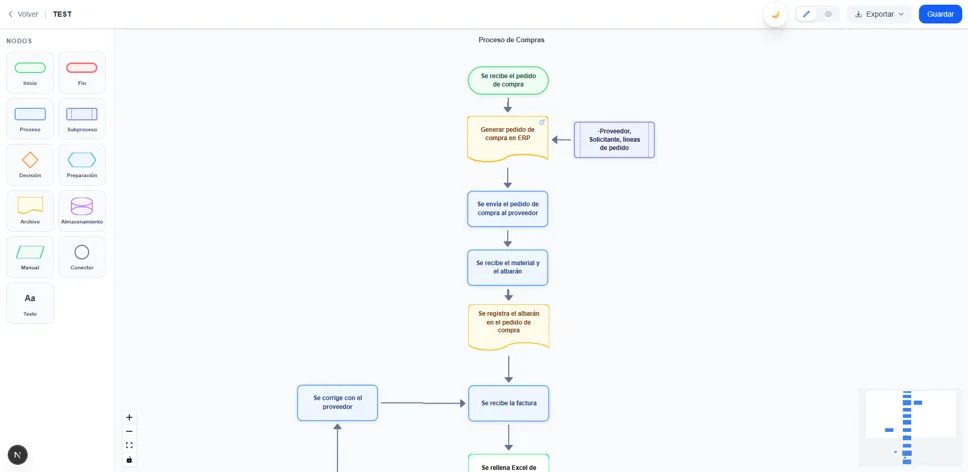
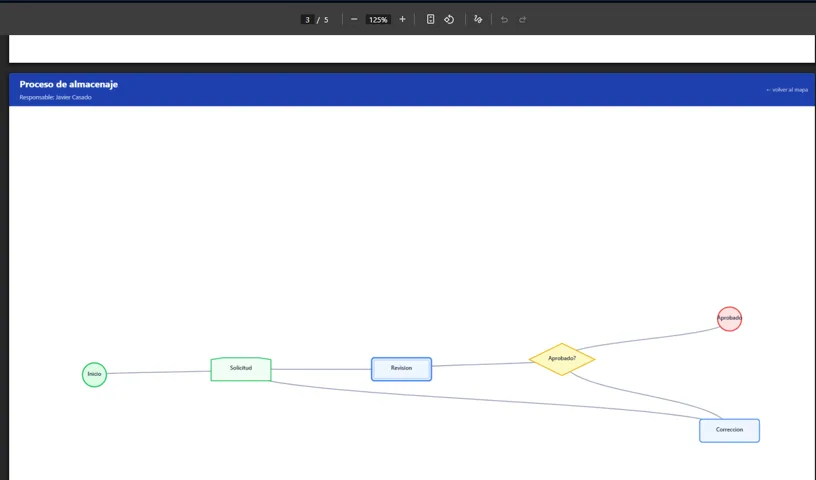
Design interactive flowcharts with a full palette of nodes: start, end, process, subprocess, decision, file and more. Add hyperlinks to each node to link directly to your ERP, Excel, or any additional documentation.
- Over 10 predefined node types
- Hyperlinks to external resources (ERP, docs, web)
- Drag-and-drop interface
Start from a Template
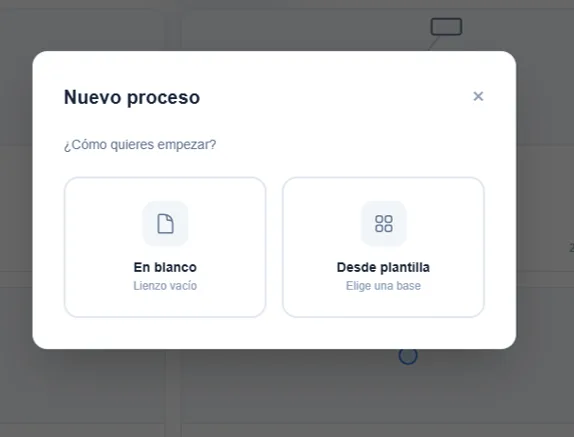
Don't start from scratch. Choose from a wide template library organized by department and adapt the process in minutes. Available for sales, finance, logistics, HR and more.
- Templates by department: sales, finance, logistics, HR
- Blank canvas for unique processes
- Full editing once imported
High-level View of the Entire Company
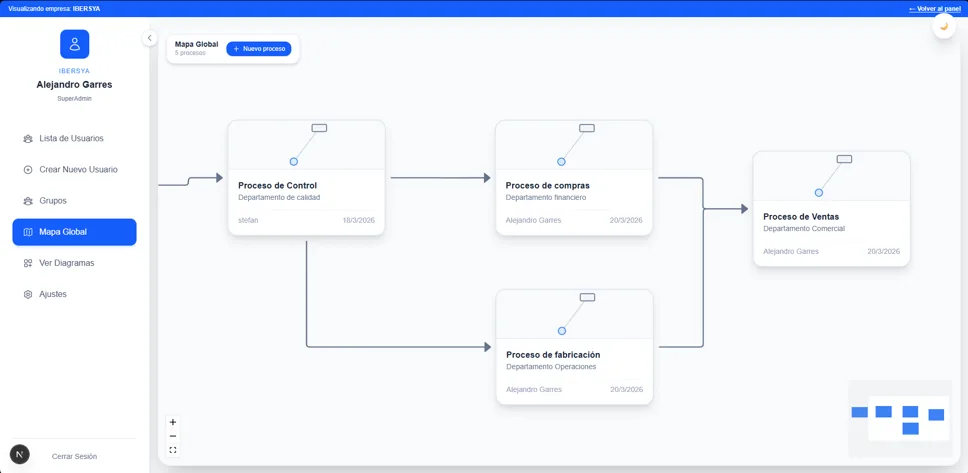
Organize all your diagrams in an interactive global map that represents the complete structure of the company. Click any process to navigate directly to its detailed diagram.
- Interactive map with all processes
- One-click navigation to detail
- Full value chain visibility
Groups, Users & Process Management
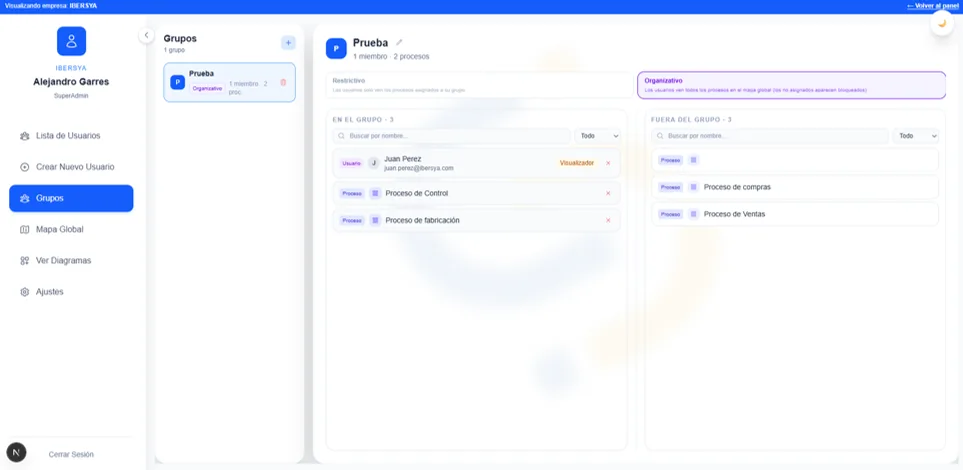
Control who can view or edit each process. Create restrictive or organizational groups, assign users with their role, and define exactly which processes each team can access.
- Differentiated roles: Admin, Creator, Viewer
- Restrictive and organizational groups
- Granular assignment per process
Export as PNG, PDF or SVG
Share your diagrams in whatever format you need. Export them individually or generate a single PDF document with the global map as an interactive index to present all your company's process documentation.
- Formats: PNG, PDF, SVG
- Individual or batch export
- Global map as interactive index in PDF
Frequently asked questions
- No. Mapaflow is a complete process management platform. In addition to the diagram editor, it includes a global map connecting all company processes, group and user management with differentiated roles, and multi-format export. It is designed to document, visualize and maintain all of an organization's processes.
- Yes. Mapaflow allows team management with differentiated roles (Admin, Creator, Viewer) and permission assignment by process or group. Multiple team members can view and, depending on permissions, edit diagrams.
- Mapaflow exports diagrams as PNG, PDF and SVG. The PDF can include the global map as an interactive index, ideal for presenting all company process documentation in a single document.
- Yes. Mapaflow is specifically designed for companies that need process documentation for ISO 9001 certification or the EFQM model. The global map allows structuring strategic, operational and support processes, and diagrams can be exported for inclusion in the management system documentation.
- Yes. The Free plan is available at no cost and requires no credit card. It allows creating up to 3 complete processes with all editor features. It is ideal for testing the tool or for small teams with basic needs.
- No. Mapaflow is a web application that runs directly in the browser (Chrome, Firefox, Safari, Edge). No installation or software download required.
Is Mapaflow only for creating flowcharts?+
Can I collaborate with my team on the same diagrams?+
What export formats does Mapaflow support?+
Is Mapaflow compatible with ISO 9001 and EFQM?+
Is there a free version of Mapaflow?+
Do I need to install anything to use Mapaflow?+
Ready to map your processes?
Start for free today. No credit card required.